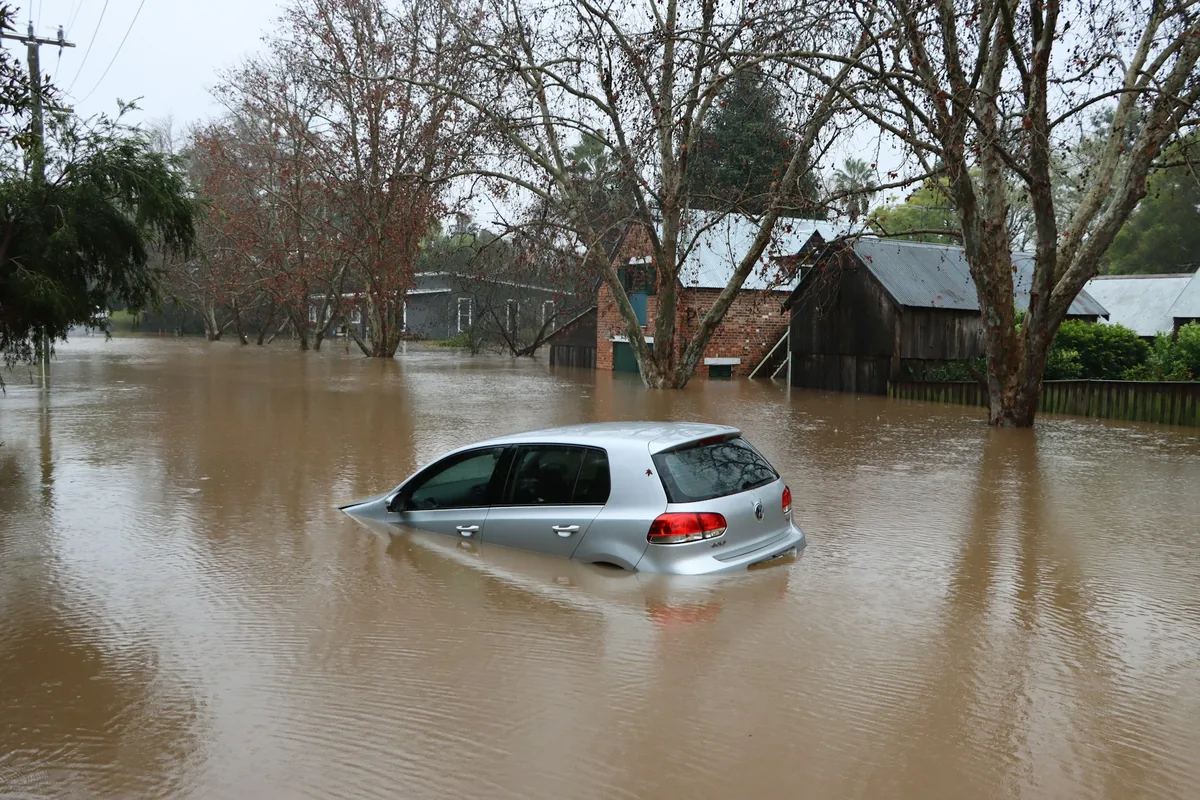
On June 24, 2026, two earthquakes struck Venezuela seconds apart. Within a day, fact-checkers found that one widely circulated clip of the destruction was actually footage from the Philippines earthquake two weeks earlier, re-uploaded with a Spanish caption. Other clips were AI-generated from scratch. Plenty of them carried a donation link. Knowing how to verify disaster photos before you share them or hand over money has quietly become a basic skill, and the good news is that it takes about two minutes.
Why Fake Disaster Photos Spread Faster Than Real Ones
Disasters create ideal conditions for bad images. Emotion runs high, verified information is scarce, and the first pictures out are worth an enormous amount of attention. Engagement farmers know this, and so do scammers, who need your sympathy to travel further than your skepticism. The FBI has warned for years that charity fraud spikes after high-profile disasters, and nothing about that pattern has softened.
Here is the part most guides get wrong. The typical fake disaster photo is not an AI creation at all. It is a real photograph, taken by a real photographer at a real event, attached to the wrong one. After the magnitude 7.8 earthquake off Mindanao in June 2026, one viral Facebook post paired two images: a group photo of construction workers, which was AI-generated, and an aerial shot of a collapsed building, which was completely authentic. AFP traced that second image to a construction accident far to the north, two weeks before the quake.
During severe flooding, dramatic images from different countries often circulate with claims that they show the latest event. In many cases, the photographs are authentic but years old, making the false context far more convincing than an obviously AI-generated image.
The most common fake disaster photo is not fake at all. It is a real photograph attached to the wrong disaster.
That number matters because of what it rules out. You cannot eyeball your way to the truth, and the models have improved considerably since those faces were tested. So the checks below are built around provenance rather than instinct. Where did this file come from, when was it made, and has it been altered since? Those questions have answers. "Does it look real to me" does not.
Check One: Reverse Image Search, Before Anything Else
Start here every single time, because this one check catches most bad disaster images in under a minute. Reverse image search asks a simple question: where else has this picture appeared online, and when? If a photo captioned "flooding this morning" has been indexed since 2019, you are finished. No pixel analysis required. This is also the first move professional fact-checkers make, which tells you something about its hit rate.
Use more than one engine, since they index different corners of the web. Google Lens is fastest and handles crops and partial matches well. TinEye is the one people skip and should not, because it lets you sort results by oldest first, which points straight at the earliest known appearance of an image. Bing Visual Search and Yandex are worth a third look, and Yandex is unusually good at matching buildings and terrain.
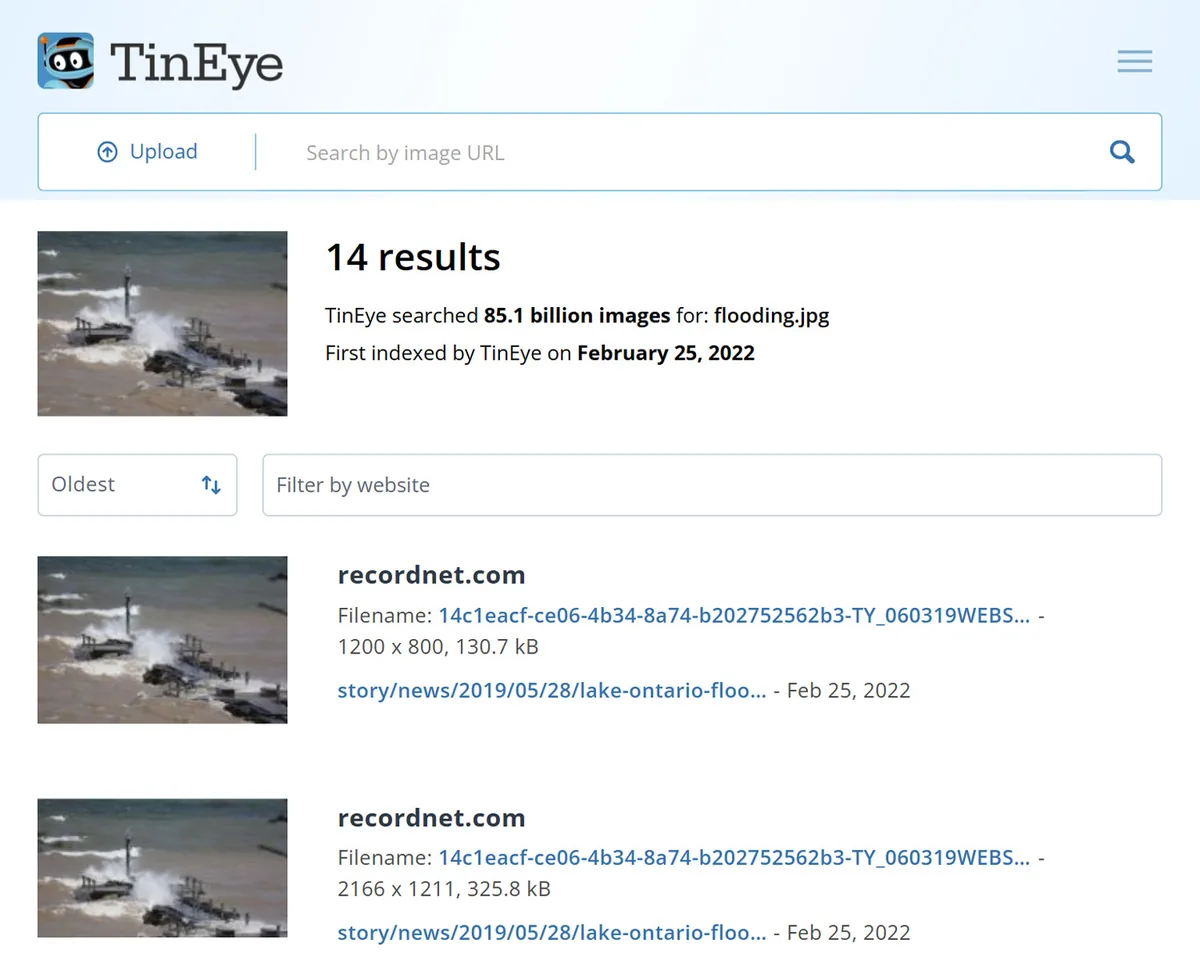
Two habits make this work better. Crop to the most distinctive element before searching, such as a storefront sign, a vehicle, or a ridge line, because search engines match those far better than a wall of brown floodwater. Then check whether a wire service has the shot. If an image supposedly shows a major catastrophe and neither AP, Reuters, nor AFP has anything resembling it, that absence is worth sitting with.
Check Two: Read the Metadata Before You Trust the Caption
Metadata is the invisible record a camera writes into a photo file: make and model, the exact date and time of capture, exposure settings, and sometimes GPS coordinates. When it survives, it is the closest thing a photograph has to paperwork. A JPG that claims to show yesterday's flood while carrying a capture date from three years ago has answered your question before you look at a single pixel.
Watch the software field too. If it names an image editor, the file was opened and re-saved at some point. That is not proof of manipulation on its own, since news photos get cropped and color corrected constantly, but it tells you the file in front of you is not what came off the sensor. Some AI tools also write their own markers, such as invisible watermarks like SynthID or provenance data in the C2PA Content Credentials standard. When those show up, they carry real weight.
Now the caveat almost every article on this topic skips. Facebook, Instagram, X, and WhatsApp strip most metadata on upload. An image with no EXIF data is not suspicious, it is normal, and it usually just means the photo passed through a social platform on its way to you. Missing metadata tells you nothing at all. Metadata that exists and contradicts the caption tells you almost everything.
Check Three: Run Error Level Analysis on Anything That Still Looks Off
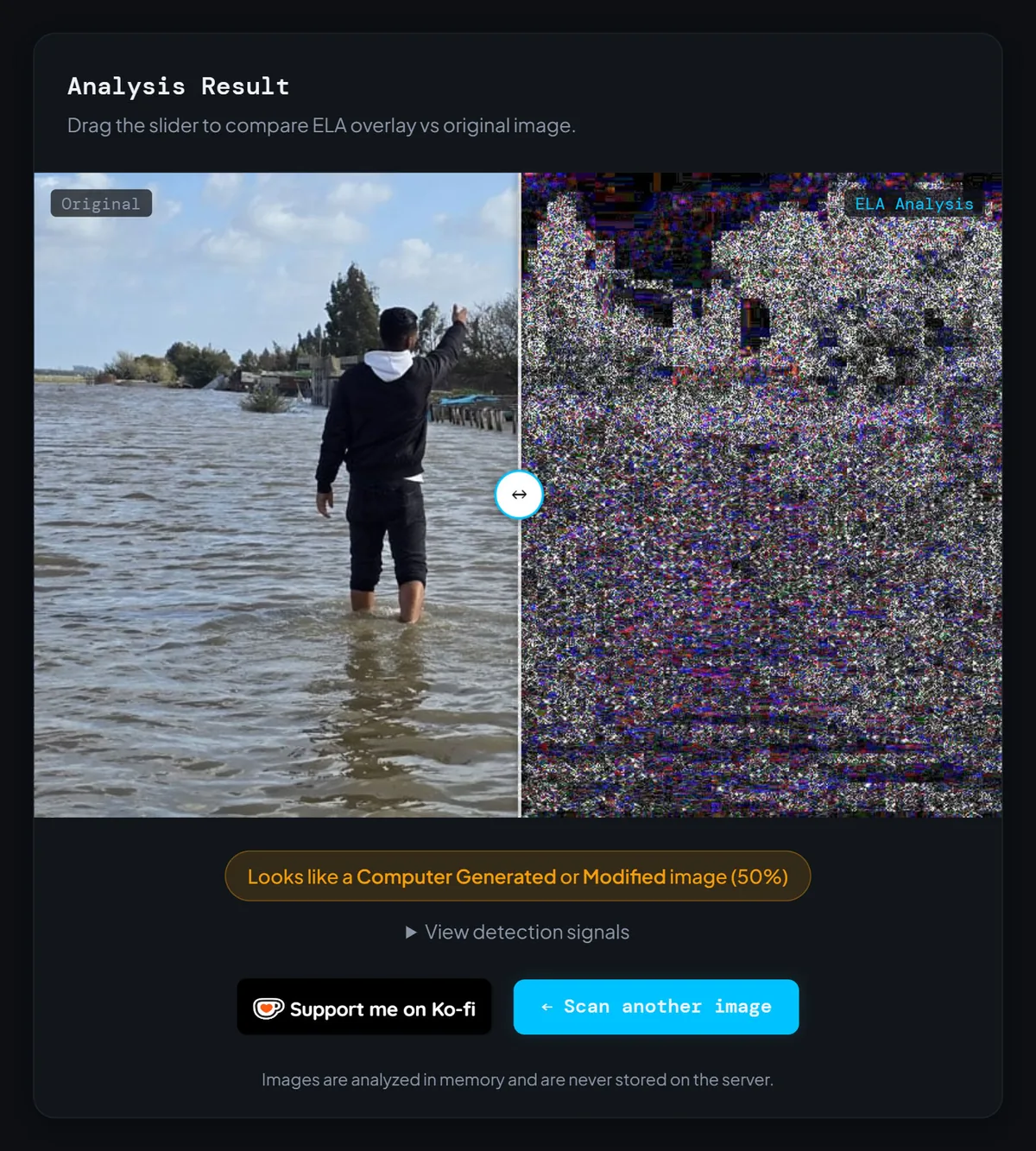
Error Level Analysis reads the compression itself. Every time a JPG is saved, it discards a little detail in a predictable pattern. When someone pastes a new element into a photo, adds fake text, or clones part of a crowd, that region has usually been compressed a different number of times than everything around it, and ELA renders the difference as a visible brightness gap. Splices tend to glow.
For disaster imagery, that catches a specific set of common tricks: a helicopter or a body added to a real scene, a news ticker or date stamp faked onto a screenshot, a flood line raised, a logo pasted onto a rescue vehicle. You can upload a JPG to Fake Image Detector and get an ELA view alongside a metadata readout in a few seconds, which is usually all the technical work an ordinary share decision needs.
Be honest about the limits, because a misread tool is worse than no tool. ELA cannot tell you an image is AI-generated. A fully synthetic picture was never spliced together from separate photographs, so there is no seam to find, and it will often come back looking clean. ELA also goes quiet on heavily recompressed files, which describes most of what social media hands you. Read it as evidence about editing, not as a verdict on origin.
Check Four: Vet the Charity, Not Just the Photo
A verified photo and a legitimate fundraiser are two separate questions, and passing one says nothing about the other. Scammers routinely attach real, properly credited disaster photography to a payment link they control. The photo checks out, the money still disappears. Verify the money path on its own terms.
Never follow the link in the post. Type the organization's name into your browser yourself, or look it up in a giving database: Charity Navigator, CharityWatch, and the BBB Wise Giving Alliance in the US, the IRS Tax Exempt Organization Search to confirm an EIN, or the Charity Commission register in the UK. The FTC's advice on the rest is blunt. Give to organizations with a proven track record, and be wary of anything that appeared overnight wearing a name that sounds like a charity you already trust.
The red flags hold up across every disaster: pressure to give immediately, an account created a few weeks ago, a vague promise of aid with no named location or local partner, and a donation number that appears nowhere on the organization's own site. The FTC, DOJ, and CFPB have made the same point after multiple hurricane seasons, and it is the fastest filter you have. Insisting on payment by wire transfer, gift card, cryptocurrency, cash, or a peer-to-peer app is a scammer's signature, not a charity's.
One more move takes fifteen seconds and catches a surprising number of fake relief groups: reverse image search the photos on their own donation page. If the "field team" turns up on a stock photo site, or on a different organization's website in another country, you have your answer without reading a word of their mission statement.
The AI Tells Worth Checking, and the Ones That Stopped Working
Visual tells still have a place, just not the place they had in 2023. Look at hands and fingers in crowd scenes. Look at text on signs, storefronts, and uniforms, since generators still garble lettering. Look at anything with repeating structure, like roof tiles, railings, rubble fields, or rows of faces, where impossible repetition often shows up. Water and fire are hard to fake convincingly, so check whether reflections, debris, and light behave the way physics says they should.
What has stopped working is the vibe check. Those results on synthetic faces came from 2022-era models, and image generation has moved a long way since. Treat a visual tell as a reason to keep verifying, never as a conclusion, and treat the absence of tells as meaning nothing. The AI images that fooled millions after Hurricane Helene in 2024, showing a frightened girl in a life jacket clutching a puppy on a rescue boat, had flaws that almost nobody looked for, because the picture made people feel something first and think second.
Why the Image in Your Feed Is Almost Never the Original File
By the time a disaster photo reaches you, it has usually survived several rounds of compression, resizing, and re-uploading, plus two or three screenshots. Each pass throws away data. This is exactly why your checks sometimes come back inconclusive: the metadata was stripped by the first platform, and the compression history ELA depends on was flattened by the fourth.
So chase the file upstream. Look for the earliest version you can find, prefer the publisher's or photographer's copy over the one in a group chat, and when someone sends you a screenshot, ask what they screenshotted. A screenshot is a photograph of a photograph. It carries the timestamp of your friend's phone, not the camera that took the picture, which is precisely why faked date stamps survive so comfortably in screenshots.
How to Verify Disaster Photos Without Slowing Down Real Help
There is a failure mode on the other side of this, and it does real damage. Once people learn to doubt images, some start calling everything AI, including photographs that survivors and local journalists took at genuine risk. Dismissing real evidence as fake is its own kind of misinformation, and during a live emergency it discourages exactly the on-the-ground reporting that response efforts run on.
Calling a real photo fake does its own damage. If everything might be AI, then nothing counts as evidence.
he practical fix is to change what you share, not to share nothing. Share the organization instead of the image. Point people to the local emergency account, the verified relief fund, the reporter standing in the affected town. That information helps someone, and it does not depend on a photograph you cannot source.
And if you have already shared something that turns out to be false, delete it and say why. What I have seen work is a short, plain correction rather than a quiet deletion, because the people who saw the original are the ones who need the update, and a silent delete reaches none of them.
Questions People Ask Before They Share or Donate
Can I tell whether a disaster photo is AI-generated just by looking at it?
Does a photo with no metadata mean it is fake?
Can Error Level Analysis prove an image was made by AI?
What is the safest way to donate after a disaster?
Two Minutes Is All This Takes
None of this requires forensic training. Reverse image search first, because context fraud is far more common than pixel fraud. Metadata second, remembering that a blank EXIF block means nothing on its own. ELA third, on the images that still look wrong. Then treat the charity as a separate question entirely, because a real photo has never once made a payment link safe.
Your next step takes less time than reading this section. The next time a disaster image stops you mid-scroll, save it, run a reverse image search, then upload the JPG to Fake Image Detector for the metadata and ELA view before you touch the share button. Do that a handful of times and it stops feeling like homework. It starts feeling like the pause you should have been taking all along.