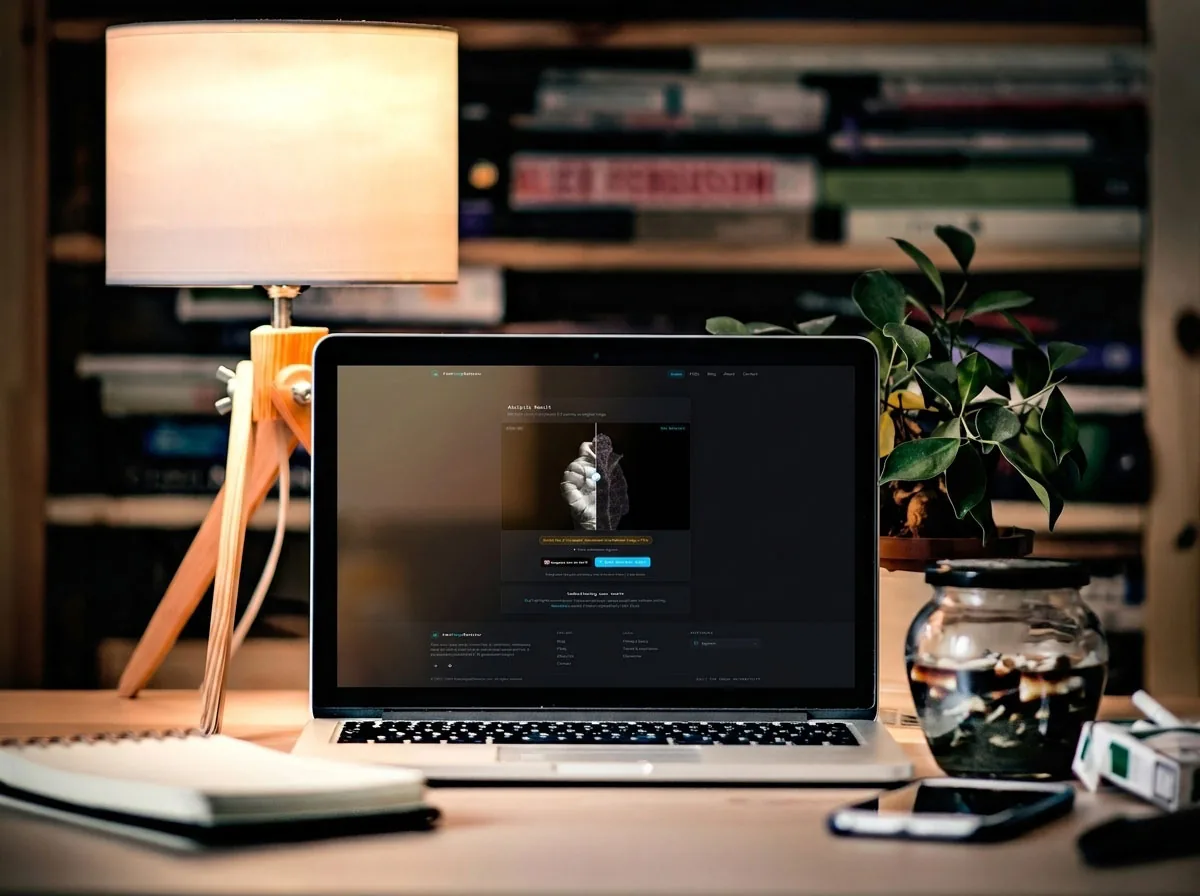
You have probably seen those colorful Error Level Analysis overlays, the ones that light up an image in staticky rainbow noise. ELA runs on every scan on this site, so it's a fair question to put to myself: can ELA detect AI images the way it flags a photoshopped one? Instead of guessing, I ran 10 AI-generated pictures through my own scanner and wrote down every verdict. What I found is worth being upfront about, because part of it is not flattering to ELA.
What ELA Was Built To Do, and Why AI Breaks It
Here's the thing most people miss: ELA was never designed to detect AI. It was designed to detect edits. Error Level Analysis works by resaving a JPEG at a known quality level and measuring how much each part of the image changes in the process. Areas that have been pasted in, cloned, or edited tend to compress differently from the rest of the picture, so they show up brighter in the overlay. That is the entire trick. It hunts for one region of a photo that has a different compression history than its neighbors.
Now picture an image that came out of a model like Midjourney or DALL-E in one shot. There is no pasted region. The whole thing was generated together and saved together, so its compression is consistent edge to edge. ELA is looking for an inconsistency that simply is not there. That gap between what the overlay checks for and how AI images are actually made is the root of everything I saw in the test.
How I Tested It on 10 AI Images
I kept the setup simple on purpose. I gathered 10 images I knew were AI-generated, a mix of nature scenes, and ran each one through the scanner here without editing or re-saving them first. For every image I noted two things: the ELA overlay itself, and the verdict banner the tool printed underneath. Then I checked which of the tool's two layers, the error levels or the metadata, was actually behind the verdict.
A quick caveat before the results, because it changes how you read them. I used clean generated files straight from the tools. The moment you screenshot an AI image or push it through social media, the story shifts, and I'll get to why that wrecks these tests later.
The One ELA Missed Completely
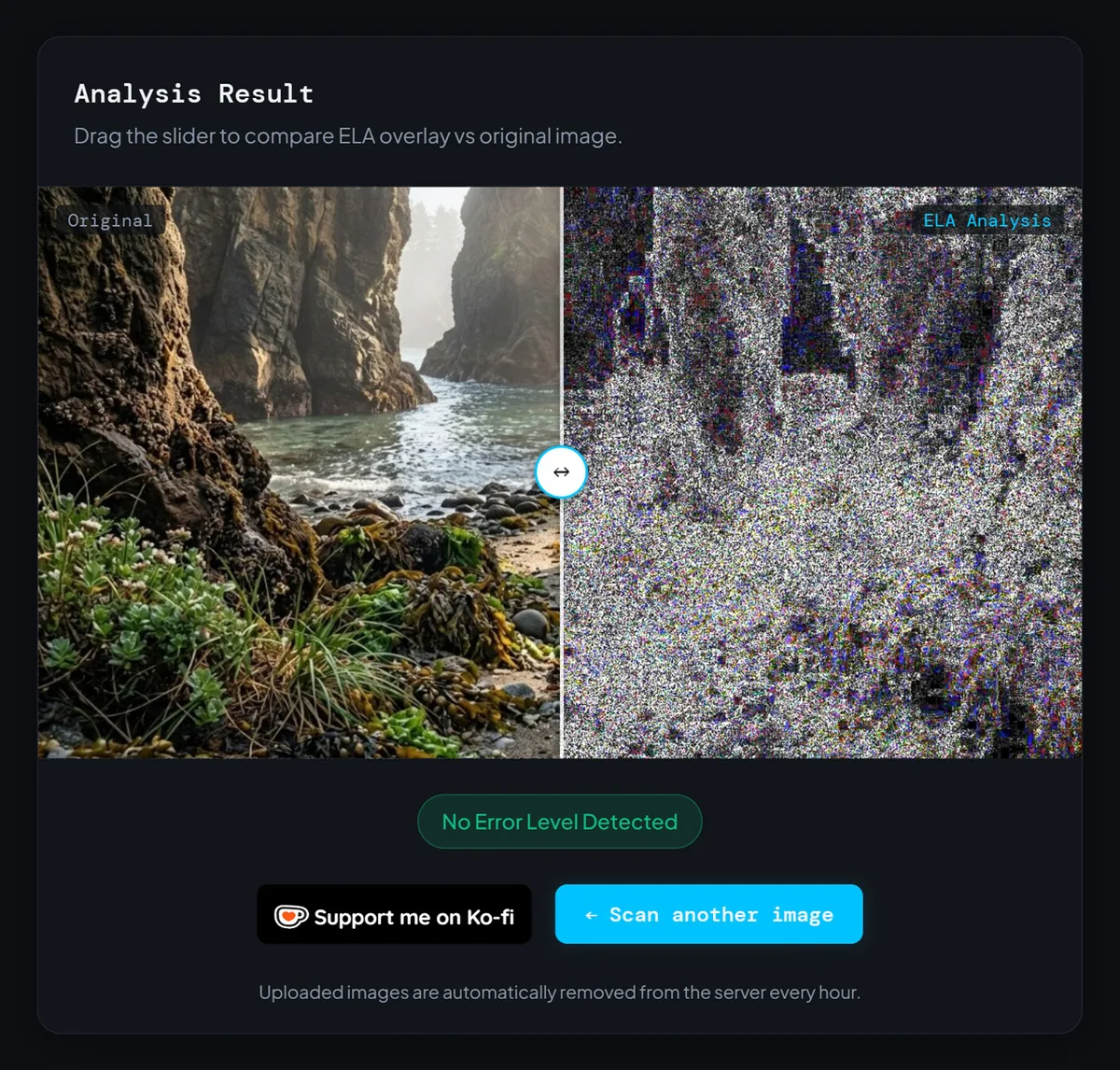
Let's start with the result that should make anyone cautious about trusting the ELA overlay alone. I fed in an AI-generated scene of a rocky sea cove, water running between cliffs, plants in the foreground. The overlay lit up in heavy bright noise across nearly the whole frame. And the verdict? "No Error Level Detected," printed in calm green, as if the image had passed a background check.
That is a false negative on an image I knew for a fact was synthetic. The bright, uniform noise was not a red flag, and honestly it should not have been, because uniform noise is exactly what a clean, high-quality single-save JPEG looks like under ELA. There was no localized hot spot for the analysis to catch, so it caught nothing. If you were reading only the error-level result to decide whether to trust the image, ELA would have quietly waved a fake right through. This is the single best argument for never stopping at the ELA slider.
Uniform noise across the whole overlay is not proof of tampering. It is usually proof of nothing at all.
The Image It "Caught" Was a Metadata Win, Not an ELA Win
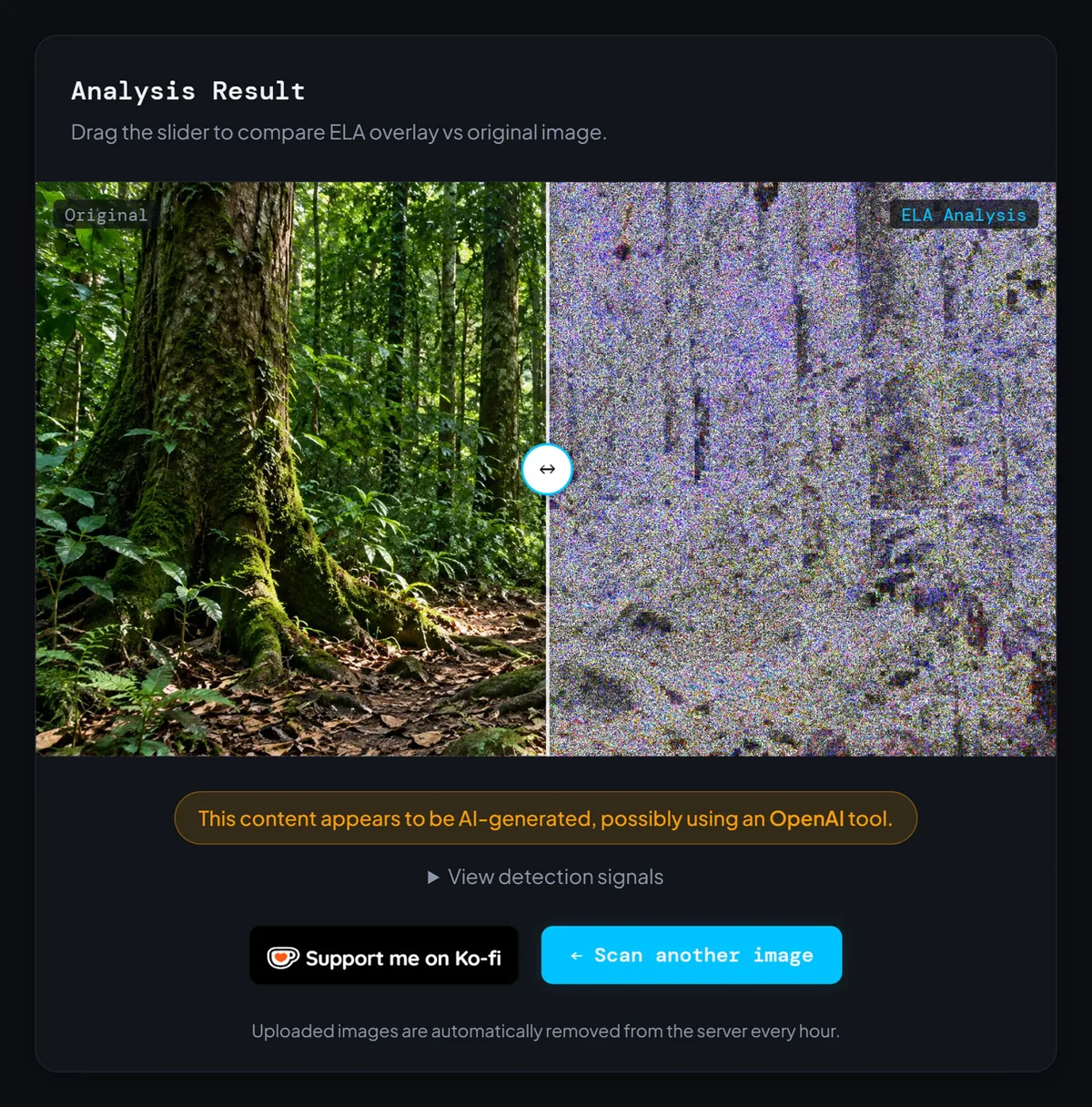
Next came an AI forest scene: tall mossy trees, ferns, a dirt trail. This time the scanner got it right, flagging the image as AI-generated. Good news, until you read the exact wording of the verdict: "This content appears to be AI-generated, possibly using an OpenAI tool." Stop and think about that phrasing. Error Level Analysis has no way of knowing which company made an image. It measures compression, not brand names.
That attribution could only have come from one place: the metadata. Every scan here checks two things, the error levels and the file's metadata, and this was the metadata layer talking. OpenAI attaches C2PA content credentials to images from its tools, a signed tag baked into the file that says, in effect, "a model made this," and the metadata check read it. The ELA overlay right beside that verdict was the same wall of uniform noise as every other image in the test. So the tool got this one right, and I'm glad it did, but the credit belongs to the metadata layer, not the error-level slider.
The "67% Modified" Verdict That Barely Means Anything
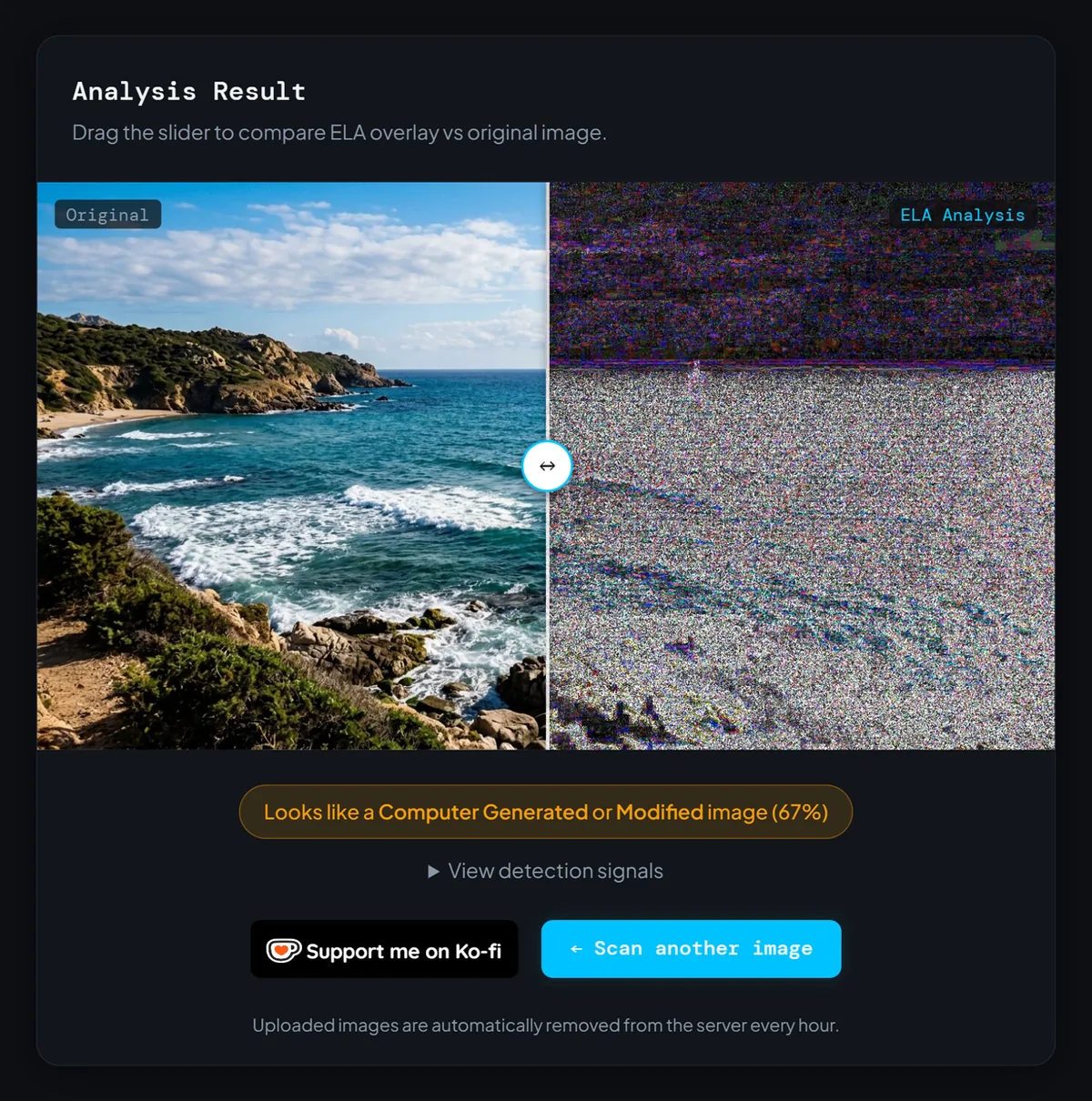
The third documented case is the most slippery. I ran an AI coastal scene: blue water, a rocky headland, a bright sky. The tool returned "Looks like a Computer Generated or Modified image (67%)." On the surface that sounds like a win, and a confident one. But look at what it's actually saying. "Computer generated or modified" lumps two very different things into one bucket, and 67% is the kind of number that feels precise while telling you almost nothing on its own.
Is the image AI? Yes. Did the error levels prove it? Not really. A hedged "generated or modified" score can land the same way on a heavily edited real photo, a re-saved screenshot, or a clean camera image with unusual compression. When a score can't tell you whether it's reacting to AI generation or to ordinary editing, it can't be your only evidence. It's a starting point, not a conclusion.
A single ELA score can't tell AI from a photo edit. It was never meant to be the whole answer.
What All 10 Results Added Up To
Across the full batch, a clear pattern showed up. When the scanner correctly identified an AI image, I could trace the call back to the metadata almost every time. When the verdict leaned on the error levels alone, it was inconsistent: a mix of misses, hedged scores, and the occasional lucky hit. Out of the 10 AI images I ran, 8 were flagged as AI, 2 slipped through as clean, and the rest came back with a vague "modified" style verdict.
The takeaway isn't that the scanner is broken, it's that the two layers answer two different questions, and only one is any good at spotting AI. That split is baked right into the result you see here: the ELA slider and the "View detection signals" panel are looking at different things, and for AI images it's the signals panel that counts. If you want to test this yourself, upload a suspect image and click "View detection signals" to see whether the error levels or the metadata is making the call. That one habit will stop you from trusting the wrong half of the result.
Three Reasons ELA and AI Images Don't Mix
If you want the short mechanical explanation for everything above, it comes down to three things.
First, there's no seam to find. AI images are generated whole, so there's no spliced-in region with a different compression history for ELA to expose. Second, the file's history overwrites the signal. Every resize, re-save, or screenshot rewrites the compression pattern, and most AI images have been through at least one of those before you ever see them, which scrambles ELA into noise. Third, bright does not mean fake. People assume a loud, colorful overlay signals manipulation, but a clean high-quality JPEG produces exactly that look, so the scary result is often meaningless.
What Actually Flags an AI Image
So if the error levels can't do this job, what can? The methods that actually work in 2026 don't look at compression at all. They look at signals deliberately built into the file at the moment of creation, which is exactly why the metadata check exists alongside ELA on this site.
Two approaches carry most of the weight. The first is provenance metadata like C2PA content credentials, a cryptographically signed tag that records what tool made or edited an image. OpenAI, Adobe Firefly, and others add it automatically, and it's what caught my forest image. The catch is that it's fragile: a screenshot or a trip through most social platforms strips it clean off. The second is invisible watermarking like Google's SynthID, which weaves a detectable pattern directly into the pixels of images from its models. Unlike metadata, it's designed to survive cropping, compression, and re-saving, which makes it much harder to erase by accident.
Neither is perfect, and neither has anything to do with error levels. Both only work if the image came from a tool that plays along, so an AI picture from a model with no watermark, or a file that's been scrubbed, can still sail past. But if you actually need to know whether an image is AI, the metadata read and a watermark check will beat staring at an error-level overlay every single time.
So When Is ELA Still Worth Running?
None of this means ELA is dead weight. It means you have to use it for the job it was built for. Where the ELA view still earns its keep is on real photographs you suspect have been edited: a face swapped in, an object cloned out, a price tag altered, text pasted onto a sign. In those cases you're looking for one region that doesn't match its surroundings, and that's exactly the inconsistency ELA is good at surfacing.
The mistake is pointing a splice-detector at a problem that has no splice. For manipulated real images, the ELA overlay is a reasonable first look. For "is this whole thing AI," it's the wrong instrument, which is why the scan pairs it with a metadata check instead of leaning on error levels alone. My 10-image test is a small but clear demonstration of the difference.
FAQ
Can ELA detect AI images at all?
Why did the ELA overlay look so noisy on images that passed?
What's the most reliable way to tell if an image is AI-generated?
Does a screenshot of an AI image still get detected?
The Honest Answer: Can ELA Detect AI Images?
So, can ELA detect AI images? Based on 10 real scans on my own tool: no, not on its own, and the times it looked like it could, the credit belonged to the metadata sitting quietly in the file. The ELA view is still useful for spotting edits in real photos, but it's the wrong tool for catching whole-cloth AI, and a green "no error detected" banner on a synthetic image makes the point better than I can.
Here's your next step. The next time an image feels off, don't stop at the ELA overlay. Upload it, click "View detection signals," and read what's actually driving the verdict, and if you think the file was screenshotted, lean on a watermark check instead. If this breakdown saved you from trusting a bad result, the Ko-fi link keeps the scanner free and ad-light, no pressure either way. Run your own image through the scanner and see what it really finds.