That perfect product photo you're about to trust with your money? There's a real chance it was edited, lifted from another brand's site, or generated by AI to show something that doesn't quite exist. Online shopping runs on pictures, and plenty of those pictures stretch the truth. The good news: you don't need forensic training or a designer's eye to catch most of them. Learning how to spot fake product photos when shopping online comes down to a few fast habits and one or two free tools, and I'll show you the exact ones I use.
Why Fake Product Photos Are Everywhere in 2026
Selling online used to require at least a real product and a camera. Now it requires neither. Anyone can open a storefront on a big marketplace in an afternoon, and image tools can produce a polished "product shot" of an item that was never manufactured. That combination is why misleading photos have quietly become the norm rather than the exception in some categories.
There are a few flavors of fake, and knowing which one you're looking at tells you how to catch it. Some photos are real but stolen, lifted straight from the actual brand or another seller. Some are heavily edited to hide flaws or exaggerate size and color. And a growing share are fully AI-generated, built to look like a studio photo of a product that doesn't exist. Once you can name the type, the right check becomes obvious.
Start With a Reverse Image Search (It Takes 10 Seconds)
This is the single fastest check, and it catches the most common fake: a stolen or stock photo. On a desktop, right-click the product image and choose your browser's "search image" option, or drag it into Google Images or Google Lens. On your phone, screenshot the photo and upload it to the same tools. TinEye and Yandex are worth a second look too, since each one crawls slightly different corners of the web.
What you're really reading is the pattern of results. If the exact photo shows up on the official manufacturer's website but you're buying from some unfamiliar shop, the seller almost certainly doesn't have the real product in hand. If it appears in a stock photo library, it's a generic image, not a picture of what will actually ship. And if forty unrelated stores all use the identical shot, you've found a dropshipped item where nobody has photographed the real goods.
Learn the Tells of an AI-Generated Product Shot
AI-generated photos have gotten scary good, but they still leave fingerprints if you know where to look. Zoom in on any text in the image first, because that's the weakest spot. Product labels, packaging, logos, and background signage often come out melted, misspelled, or as nonsense characters that almost look like letters. Real photography does not do that.
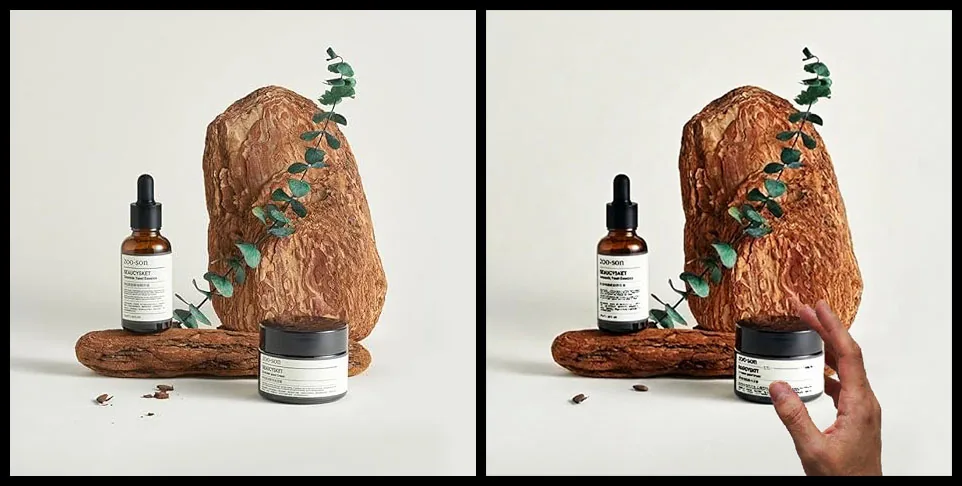
Then check the details that are hard to fake. Hands holding a product are a classic giveaway, with fingers that bend the wrong way or number more than five. Look at reflections in glossy surfaces and whether they match the room, at shadows that fall in two directions at once, and at textures that look a little too smooth and perfect, like everything got dipped in wax. Backgrounds that blur into a repeating smear are another tell.
I'll be honest about the moving target here: the newest image models have mostly fixed hands and text, so a clean image is no longer proof of a real photo. That's why I don't rely on my eyes alone. When something feels off but I can't point to why, I run the image through a detector and let it flag editing or generation I might have missed. It's a good tiebreaker for the listings that look suspiciously flawless.
Compare the Listing to the Brand's Real Photos
Real sellers show you the product from every angle because they own it. Pull up the brand's official page, or a large trusted retailer that carries the item, and compare. Authentic listings tend to have several consistent photos: the same product, same colorway, shot in good light from multiple sides, usually with a lifestyle image showing it in use. A single glossy hero shot and nothing else is a quiet warning.
Look for consistency inside the listing itself. Do all the photos show the same product, or does the main image look like a polished render while the rest are grainy snapshots of something slightly different? Check logos, model numbers, and packaging against the official version. Counterfeiters often get the box or the logo subtly wrong, and mismatched details across one listing usually mean the photos were stitched together from different sources. When a listing looks too polished to be true, that's the moment to run the main photo through the free image detector on this site and let it check for signs of editing or AI generation before you commit.
Notice When One Photo Shows Up Across a Dozen Sellers
This is the dropshipping tell, and once you see it you can't unsee it. The same photo appears across a dozen different stores, at wildly different prices, under names you've never heard of. It doesn't automatically mean a scam, but it does mean nobody in that chain has photographed the real item. You're buying from a reseller working off a supplier's generic images, which is exactly where photo-to-reality gaps creep in. To check, reverse search the image again, or just search the product name inside the marketplace and eyeball how many identical listings come back.
A photo used by a dozen sellers isn't proof of a good product. It's proof that nobody photographed the real one.
Read the Buyer Photos, Not Just the Star Rating
Star ratings are easy to fake. Photos taken by actual buyers are much harder. Most marketplaces let you filter reviews to show only the ones with images, and that's the first thing I open. Those snapshots, shot in someone's kitchen under bad lighting, tell you what the product really looks like once the studio magic wears off.
Line the buyer photos up against the listing's official images, because that's where the gap shows. The rich navy in the listing turns out to be a dull gray. The "solid wood" looks like printed veneer. The portion size is half what the hero shot implied. Be a little skeptical of review photos that themselves look like polished marketing shots, since fake reviews sometimes recycle stock images. Real buyer photos are imperfect, and that imperfection is exactly what makes them trustworthy.
Let a Detector Check What Your Eyes Can't
Your eyes are good, but they can't see how a file was compressed. That's where a forensic tool earns its keep. The fake image detector on this site runs two checks that are hard to pull off by hand: Error Level Analysis and metadata analysis. It's free, it works right in your browser, and you get a result within seconds of uploading a JPG, PNG, BMP, TIFF, or WebP up to 10 MB.
Error Level Analysis, or ELA, looks at how evenly a JPEG was compressed. When someone pastes a new object into a photo or edits one area, that region often compresses differently from the rest, and it lights up brighter in the ELA view. On this site you drag a slider to compare the original against the ELA overlay, so you can see which patches look tampered with. The tool then gives you a plain-language verdict with a confidence score, something like "looks like a computer generated or modified image, 67 percent."
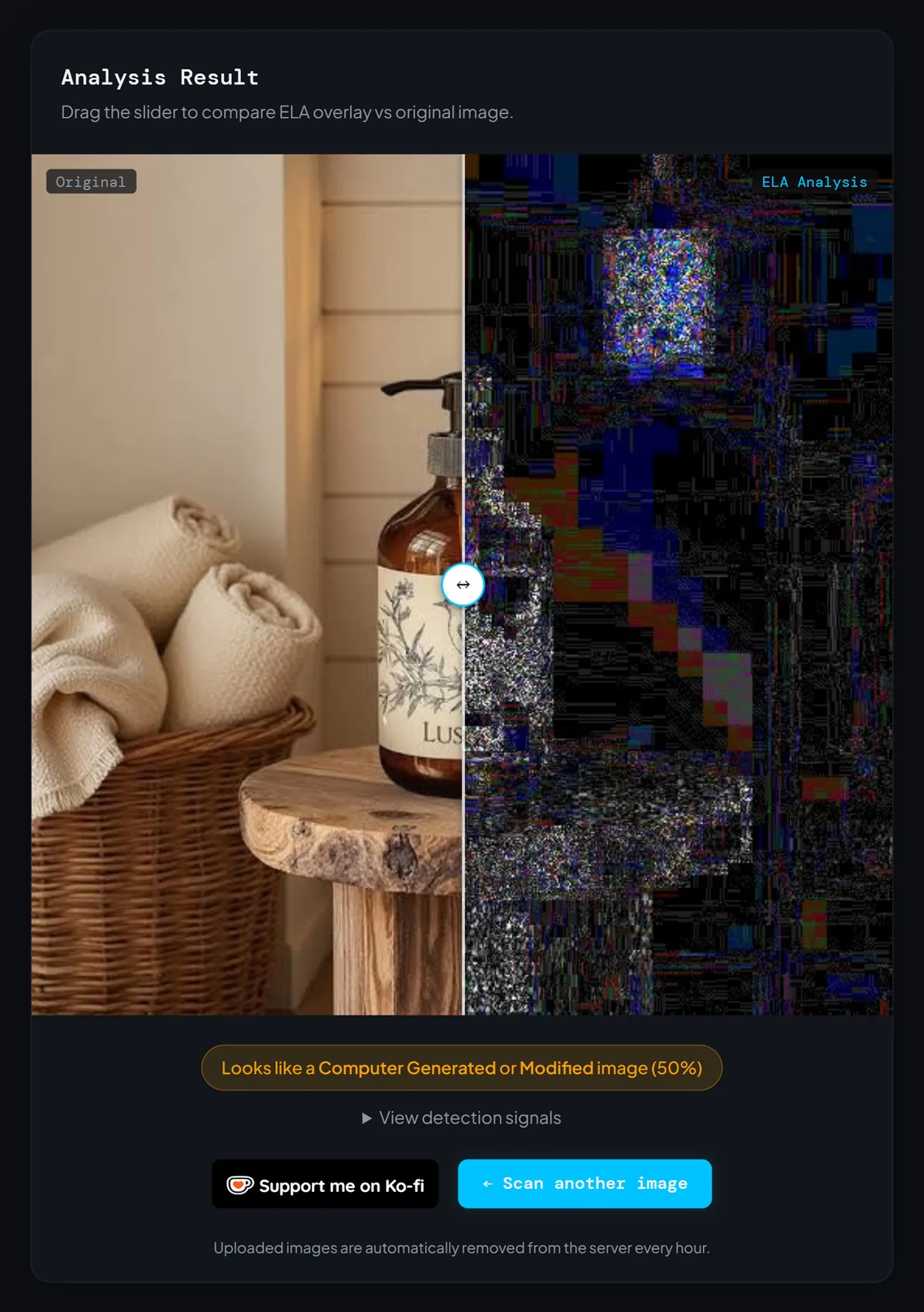
The metadata side reads the EXIF data baked into a file, including the software signature that can reveal whether an image passed through Photoshop or an AI generator. Here's the honest limitation I flagged earlier: most marketplaces strip that data on upload, and taking a screenshot wipes it too, so forensic checks work best on an original file sent straight from the seller rather than a photo pulled off a live listing. Uploaded images are deleted from the server every hour, so a quick check costs you nothing in privacy. Read the score as a strong second opinion, not a final ruling, and weigh it next to everything else you've seen.
How to Spot Fake Product Photos When Shopping Online in Under a Minute
Here's the routine I run when a deal looks too good, and it takes about half a minute. Reverse image search the main photo. Zoom in on any text or hands for AI glitches. Compare it to the brand's official images, then scan the buyer photos. If two or more of those raise a flag, I upload the image to the detector on this site for a forensic second opinion before I spend anything.
A friend once ordered a backpack that looked premium in the listing, but when it arrived the material felt cheap and the color didn't even match the photos. Ever since, I make a habit of checking buyer photos before hitting Buy.
Thirty seconds of doubt is the cheapest insurance in online shopping.
FAQ
Can an image detector always tell if a product photo is fake?
Is a reverse image search enough on its own?
What's the biggest red flag that a product photo is fake?
What does Error Level Analysis actually check?
Wrapping Up: Trust Your Eyes, Then Verify
None of this requires expertise. It requires a habit: a few seconds of doubt before you trust a picture with your money. Reverse search it, look for the AI tells, compare it against real photos, and let the pattern decide. Do that a handful of times and it turns automatic, the same way you learned to spot a phishing email.
So here's your next step. The next time a product photo makes you pause, don't just squint at it and guess. Upload it to the free detector on this site, let the Error Level Analysis and metadata check back up what your eyes are telling you, and run a reverse image search beside it. Your future self, the one who didn't have to box up a return, will thank you.