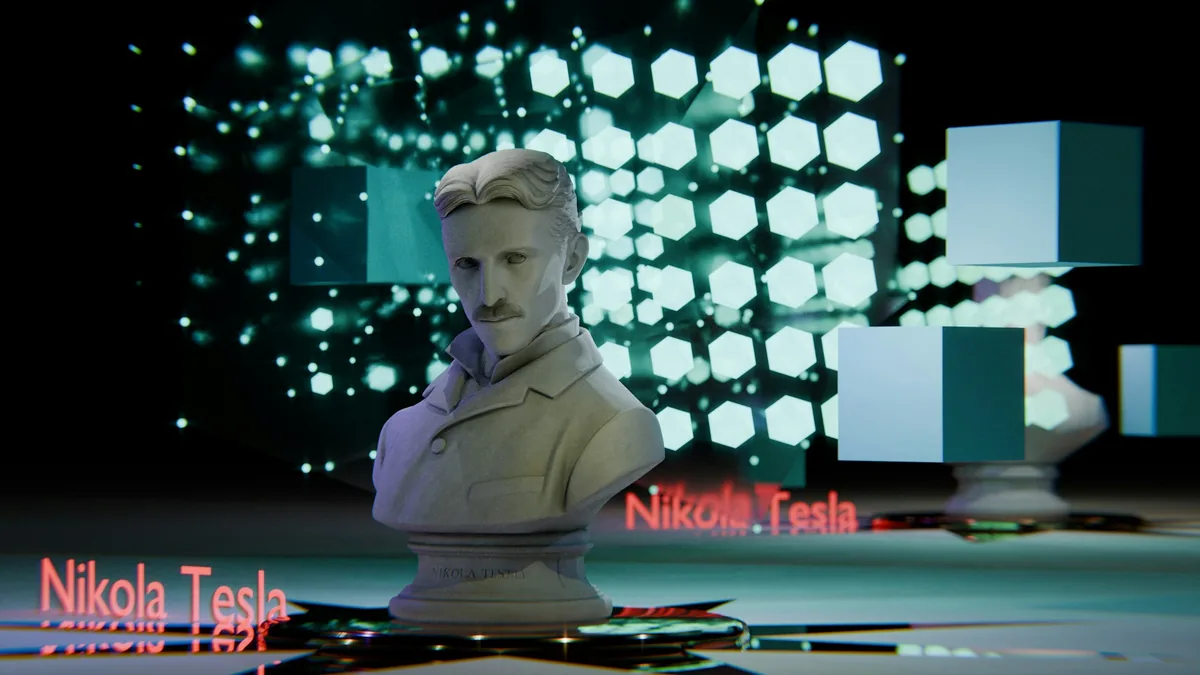
You upload a product photo to an AI detector and it returns "96% likely AI generated." Except the image never touched a diffusion model. It's a 3D render your studio spent four days lighting in Blender. That gap between the verdict and the reality is exactly why people ask whether AI detectors can tell the difference between CGI, Photoshop, and AI generation. Most of these tools were never built to try. The question is answerable, just not by a single percentage score.
So, Can AI Detectors Tell the Difference Between CGI, Photoshop, and AI Generation?
Not on their own, and not reliably. Nearly every detector you can run in a browser is a binary classifier. It was trained on a pile of camera photographs labeled "real" and a pile of generated images labeled "fake," and it learned the statistical gap between those two piles. Hand it a Blender render and you've given it something that belongs to neither pile. It still has to produce an answer, so it picks whichever side the render sits closer to, and a noise-free, ray-traced render sits much closer to "fake."
There's a second problem sitting underneath that one. Detectors learn the specific fingerprints of the specific generators in their training data. Point one at a model that shipped after training finished, and accuracy falls off. Sometimes it falls off a cliff.
That result was about video, and it dates back to the challenge Meta ran in 2020, but the pattern it exposed has not gone away. Detection models perform well on what they've seen and considerably worse on what they haven't. CGI is the extreme version of "haven't seen," because it isn't a photograph and it isn't diffusion output. It's a third thing that the training data usually ignores entirely.
What Actually Separates a Render, an Edit, and a Generation
Before you can judge what a tool is capable of, it helps to be precise about the three things you're asking it to separate. They come from completely different production pipelines, and each pipeline leaves its own physical traces.
A CGI render never met a lens. Whether it came out of Blender, Cinema 4D, V-Ray, or Unreal Engine, there's no sensor involved, which means no sensor noise, no demosaicing pattern, no chromatic fringing at the edges of the frame, no dust on the front element. What a render does have is simulated physics. Shadows fall where a light source says they should, reflections match their sources, and straight lines stay straight all the way to the frame edge. Renders give themselves away by being too clean, not by being wrong.
A Photoshopped image starts life as a real photograph. All that sensor noise and lens character is still sitting there in the untouched parts of the frame. The edit shows up as a discontinuity: one region with a different noise level, a different compression history, or lighting that disagrees with the rest of the scene. Cloning leaves duplicate pixel blocks that shouldn't exist in nature. Compositing leaves a boundary where two files were joined.
An AI generated image is invented out of noise by a diffusion model such as Midjourney, Stable Diffusion, Flux, or Firefly. Like a render, it's uniform across the whole frame, but nothing simulated the physics, so the failures are semantic rather than mechanical. Text dissolves into decorative squiggles. A necklace merges into a collarbone. Two shadows point in different directions because no light source ever existed. A window reflects a building that isn't in the picture.
Global Fakes and Local Fakes: The Split Behind Every Wrong Answer
Here's the distinction that explains almost every wrong verdict you'll ever see from a detector. Fakes come in two shapes. A global fake means every pixel came out of the same process, whether that's a render or a generation, so the statistics are consistent across the entire frame. A local fake means a real photograph with a foreign patch dropped into it, so the statistics are consistent everywhere except one region.
Those two shapes need opposite tools. Whole-image classifiers, which is what almost every AI detector is, are built for global fakes. Inconsistency hunters like Error Level Analysis are built for local ones. Feeding a spliced press photo to a global classifier is a bit like asking someone to spot a typo by reading the page from across the room. The information is right there, but not at the resolution the reader is working at.
A detector tells you whether an image looks synthetic. It cannot tell you how it was made. Those are two different questions, and only one of them has a dependable answer.
Why CGI Sets Off AI Detectors More Than Anything Else
In my experience, CGI is the single biggest source of false positives, and it isn't close. Every property that makes a render look expensive also makes it look artificial to a classifier: no grain, perfectly resolved edges, ideal focus falloff, lighting with no bounce cards and no accidental reflection of the photographer in the chrome.
This has become a commercial headache, because a large share of the product photography you scroll past was never photographed. Furniture, cars, packaging, appliances, whole kitchens: studios model and render them because it costs less than shipping the object to a studio. When a customer runs one of those images through a detector, gets "AI generated," and posts the screenshot, the brand ends up defending an image that was made by hand over several days.
I’ve seen the same problem with everything from glossy car configurator images to perfectly staged furniture renders: the more polished and photorealistic the CGI becomes, the more confidently some detectors seem to call it AI-generated.
The irony is that CGI is often easier to identify than AI output, just not with a classifier. Render files frequently name their software in the metadata. Geometry is too regular. Textures tile if you look for the repeat. And a stack of supposedly separate identical objects will be pixel-for-pixel identical, which never happens with a real camera and rarely happens with a diffusion model.
Why a Photoshopped Photo Often Walks Straight Past a Detector
This is the failure that should worry you more than the CGI one. Take a real news photo, paste in one extra person, blend the edges, save as JPEG. Something like ninety-five percent of that file is still an unmodified camera photograph, and a whole-image classifier averages it out to "real." The tool isn't malfunctioning. It answered the question it was asked, which was about the image as a whole rather than any particular part of it.
Local analysis catches what global scoring misses. Error Level Analysis re-saves the file at a known quality level and maps the difference, which makes regions with a different compression history stand out visually. An element that was pasted in and saved once tends to appear brighter than a background that has been saved five times. It's noisy on heavily processed files and it proves nothing on its own, but on a single-generation JPEG composite it's often the clearest evidence available.
Metadata frequently finishes the job. Photoshop writes its name into the Software field and usually leaves an XMP edit history behind it. Seeing "Adobe Photoshop" in a file being presented as a raw camera capture doesn't prove dishonesty, since every working photographer edits, but it does tell you the pixels are not what the sensor recorded. That's a useful thing to know before you argue about what the image shows.
The Signals That Do Separate the Three
No single signal settles this. Four of them read together usually do, and none of the four requires expensive software.
Start with sensor evidence. A real camera leaves a fine, even grain across the frame plus a demosaicing pattern from reconstructing full color out of a Bayer filter. Renders and generated images have neither unless someone added noise deliberately, and deliberately added noise tends to look suspiciously regular when you zoom in. Lens character helps too: slight softness in the corners, mild vignetting, a bit of distortion on wide shots. Perfect optics across the whole frame is a rendering trait, not a photographic one.
Then read the metadata. EXIF gives you camera make, model, lens, shutter speed, aperture, and sometimes GPS coordinates. Render files occasionally name their engine outright. Some AI files carry an IPTC digital source type field declaring that the content came from a trained algorithm. Absence tells you very little, because every major social platform strips this data on upload, but presence is often decisive.
Third, look at compression behavior. Quantization tables in a JPEG hint at which software wrote the file, since camera manufacturers, Photoshop, and web pipelines all use different ones. An ELA map that's flat and even across the whole frame points to a single-origin image, meaning a render or a generation. A map with one bright island in it points to an edit. If you want to see both of these on your own file, upload the JPG to the analyzer on this site and read the ELA map and the metadata side by side before you form an opinion.
Fourth comes the layer no software beats you at: look at the light. Trace every shadow back to a source and check they agree. Check reflections against what's actually in the scene. Read any text in the background. Count fingers, teeth, and railings. Renders pass the physics test and fail the "too perfect" test. Generated images pass the aesthetic test and fail the physics test. That difference is usually visible to a careful human in under a minute.
A Layered Method You Can Run in About Ten Minutes
Work from the strongest evidence toward the weakest, and stop as soon as you have an answer you'd be willing to defend.
Layer one is provenance, the only layer capable of positive proof rather than inference. Check whether the file carries C2PA Content Credentials, which are cryptographically signed manifests that some cameras, Adobe applications, and generation tools attach at the moment of creation. Check for an invisible watermark such as Google's SynthID, which its own verification tool can read on Google-made images. A credential that validates ends the argument. A missing credential ends nothing, because credentials survive only if nobody screenshots or re-encodes the file.
Layer two is metadata, layer three is compression analysis, and layer four is the physical reasoning covered above. Layer five is context, which people skip far too often: reverse image search the picture, find its earliest appearance, and see who published it first. Plenty of "AI generated" accusations collapse the moment you find the same image on a stock library from 2019. Plenty of "authentic" photos collapse when the only source is an account created last week.
The Hybrid Images That Break All Three Categories
Here's the part most articles on this topic skip entirely. The three categories have stopped being separate. Generative Fill inside Photoshop is AI generation happening inside an edit of a real photograph. A 3D artist who renders a car and then uses a diffusion model to invent the city reflected in its paintwork has produced all three at once. Your phone has been doing a version of this for years: night mode stacks multiple exposures, portrait mode synthesizes the background blur, and group photo features can borrow a face from a different frame.
The most convincing fake image you'll see this year won't be fully AI, fully CGI, or fully Photoshop. It will be a little of each, flattened by a social platform's compressor on the way to you.
Which means "which one is it?" is frequently the wrong question. "Which parts of this came from where?" is the question worth asking, and it's the reason region-level analysis outperforms whole-image scoring on anything that actually matters. A composite where one face was swapped does more damage than a fully generated picture, and it's the one a classifier is least likely to catch.
What a Detector Score Actually Means
A detector output is not a verdict. It's a probability that an image resembles the synthetic side of whatever data the model was trained on, usually reported with more decimal places than the underlying certainty deserves. "96.4%" and "probably, based on images somewhat like this one" are the same statement dressed differently.
Two consequences follow from that. A high score on a filtered, resized, heavily compressed file is weak evidence, because processing pushes real photographs toward the synthetic side of the boundary. And a low score on a suspected composite is close to meaningless, because the tool was never looking for local edits in the first place. Knowing which of those two situations you're in matters more than the number itself.
Common Questions About CGI, Photoshop, and AI Detection
Can any tool say for certain that an image is CGI rather than AI generated?
Why does my real photo keep getting flagged as AI generated?
Does Error Level Analysis prove an image was AI generated?
Do C2PA credentials and invisible watermarks settle the question?
Where That Leaves You
The honest summary is that detectors are one input, not an answer. They're reasonably good at separating a camera photo from a fully synthetic image when the file is close to original. They're poor at telling two kinds of synthetic apart, since CGI and AI generation look nearly identical from a classifier's point of view. And they're weakest on the case that usually matters most: a real photograph with one important thing changed.
So change what you ask them for. Treat any score as a starting hypothesis, then test it against provenance, metadata, compression, and physics before you commit to a conclusion. Next time an image looks wrong to you, get hold of the original file rather than a screenshot, run it through the analyzer here for the ELA map and the metadata read, and check whether the story the file tells matches the story the poster is telling. That takes a few minutes, and it's the difference between an opinion and something you can stand behind.