You're scrolling, and there it is: a photo of a senator doing something outrageous, or a celebrity caught in a moment that seems too perfect to be real. Your thumb hovers over the share button. Stop right there. Learning how to fact-check a viral political or celebrity photo takes about five minutes, and it's the difference between being the person who spreads a fake and the person who catches it. I've watched convincing fakes fool journalists, relatives, and people who should absolutely know better, so let me show you how to check one properly.
Slow Down Before You Share: Viral Photos Are Built to Trick You
Here's the uncomfortable truth about viral photos: the ones that spread fastest are engineered to shut off your judgment. A picture that makes you furious, thrilled, or smug feels true before your brain has a chance to ask whether it is. That's not an accident. Whoever made it wanted your reaction, and outrage travels faster than caution.
So the first tool isn't a website. It's a pause. When a photo hits you hard, that's exactly the moment to slow down and ask a simple question: do I actually know this is real, or do I just want it to be? Back in May 2023, a single fake image of an explosion near the Pentagon spread fast enough to wobble the stock market for a few minutes before officials confirmed nothing had happened. That's how quickly an unchecked photo can do real damage, and how much a ten-second pause is worth.
The stronger a photo makes you want to share it, the more reason you have to check it first.
Start With a Reverse Image Search
A reverse image search is the fastest fake-catcher there is, and it's free. Save the photo (or copy its address), then run it through Google Lens, TinEye, Bing Visual Search, or Yandex Images. Each one hunts the web for other copies of that image and shows you where else it has appeared. This single step cracks a huge share of viral fakes in under a minute.
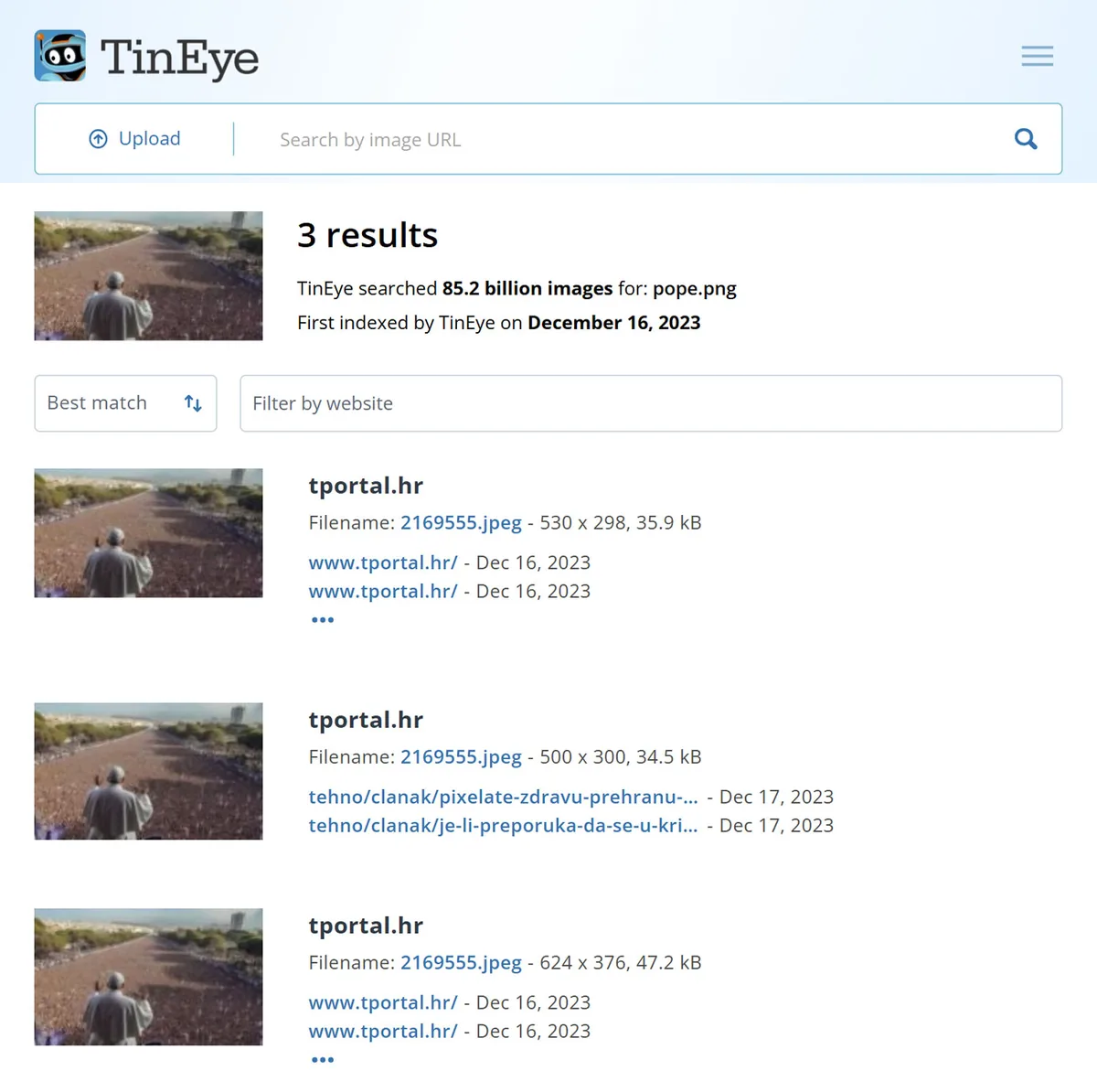
What you're looking for is the oldest version of the image. If a photo being passed around as breaking news today actually shows up on a stock site from 2015, you've caught a recycled fake without any special analysis. Yandex tends to be the strongest for matching faces and locations, so if the others come up empty, try it before you give up. In my experience, running all three or four is worth the extra minute, because they crawl different corners of the internet and one often finds what the rest miss.
Track Down Where the Photo First Appeared
Once your reverse search points you somewhere, follow the trail to the original source. Who posted this first, and when? A real news photo almost always traces back to a wire agency like Reuters, AP, or Getty, or to a verified account with a track record. A photo whose only home is an anonymous meme page or a brand-new profile with six followers deserves a hard look.
Dates matter as much as sources. People love to dust off an old photo and re-share it as if it happened this morning, especially during elections, wars, and disasters. If the earliest copy you can find predates the event it supposedly shows, the photo is real but the story attached to it is not. That gap between a real image and a false claim is where most misinformation actually lives.
The Caption Lies More Often Than the Pixels Do
Most people picture photo fakery as Photoshop wizardry: a head swapped here, an object erased there. That happens, but it's not the common case. Far more often, the image is completely real and the caption is doing the lying. A real photo of a politician at a podium gets slapped with a fabricated quote. A crowd shot from one city gets relabeled as another country's protest.
A real photo with a false caption is the most common fake of all, and there's nothing in the pixels to catch.
This is why you can't stop at "the pixels look fine." The most common mistake I see is people treating a technically clean photo as automatically true. A photo can pass every test and still be wildly misleading, so always ask what claim the image is being used to support, then check that claim on its own. Search the supposed quote. Look up whether the event happened when and where the post says.
Learn the Tells of an AI-Generated Fake
AI image generators have gotten scary good, but they still leave fingerprints if you know where to look. Remember the photo of the Pope in a giant white puffer coat that went viral in 2023? It was built with an AI generator, and huge numbers of people took it at face value before anyone clocked the blurry glasses and a hand that didn't quite work. So zoom in on the hands first, because AI still fumbles fingers: too many, too few, or bent at angles that would send you to the emergency room.
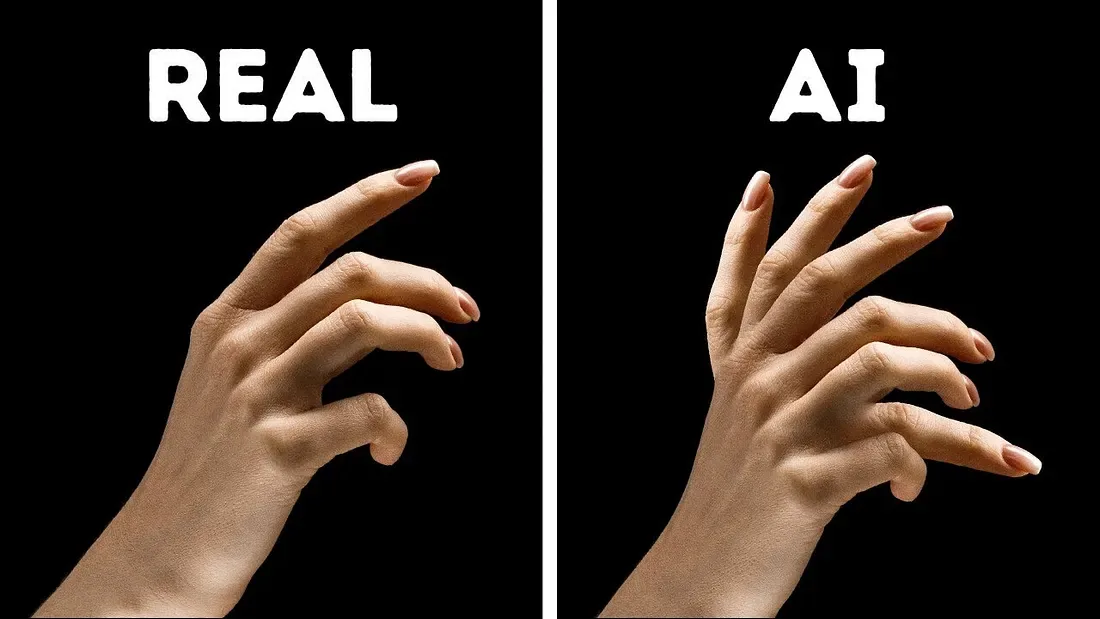
Then work through the rest of the giveaways. Check any text in the frame, since signs and captions inside AI images tend to melt into gibberish that looks fine at a glance and falls apart up close. Look for jewelry that doesn't match from one ear to the other, teeth that blur together, hair that dissolves into the background, and skin so smooth it looks airbrushed. Backgrounds betray a lot too: straight lines that bend, faces in a crowd that smear, shadows falling in directions that don't agree with the light. No single one of these proves a fake, but two or three together is a strong signal.
That number should humble all of us. In that study, people trying to spot AI faces did slightly worse than random guessing, and the technology has only improved since. The lesson isn't that you're bad at this. It's that your eyes alone are not enough, which is exactly why the next step matters.
Check the Pixels With Error Level Analysis and Metadata
When your eyes hit their limit, let the file do the talking. Two checks punch above their weight here: Error Level Analysis (ELA) and metadata. ELA re-saves the image and highlights areas that compress differently from the rest, which is what happens when a face or object is pasted in from somewhere else. An edited region often lights up brighter than the untouched background, pointing you straight to the tampering.
You don't need forensic software for this. If you've saved the image as a JPG, upload it to our free detector and it runs Error Level Analysis and a metadata scan in seconds, then shows you what stands out. Metadata is the hidden data baked into a photo file: the camera model, the date, sometimes the GPS location and the editing software used. If a "candid" shot was last touched in Photoshop, the metadata can quietly say so. One honest caveat: most social platforms strip metadata on upload, so a photo with none isn't automatically fake, it's just been through the internet.
Treat these tools as evidence, not verdicts. ELA can flag an innocent edit, like a crop or a resize, and it struggles with screenshots and heavily re-saved images. What I do is stack the signals: reverse search, source, AI tells, ELA, and metadata together. When three or four point the same way, you have your answer, even if no single one is a smoking gun.
Cross-Check the People Who Do This for a Living
You're not the only one checking. Professional fact-checkers and newsrooms verify viral images all day, so before you trust a big claim, see whether they've already ruled on it. Organizations like the Associated Press, Reuters Fact Check, Snopes, and PolitiFact regularly debunk or confirm the images tearing through social feeds. A quick search of the photo's subject plus the words "fact check" often lands you a full write-up in seconds.
If nobody has covered it yet, that itself is worth noting. A photo supposedly showing a major public event, with zero coverage from any established outlet, is suspicious on its face. Real newsworthy moments get reported by more than one anonymous account. Absence of coverage isn't proof of a fake, but when a "huge story" exists only in screenshots, keep your guard up.
Red Flags to Watch When You Fact-Check a Viral Political or Celebrity Photo
Some warning signs show up again and again, and once you've seen them a few times you'll spot them fast. A photo that arrives with no source, only a screenshot, is the classic one. So is an image that perfectly confirms what one side already wants to believe about the other, since that's exactly what a fabricator would build. Add strong emotional bait, a brand-new or anonymous account, and a caption doing heavy lifting, and you've got a picture worth doubting before you even open a tool.
FAQ
Can I fact-check a photo from just my phone?
How can I tell if a celebrity photo is an AI deepfake?
What if a photo looks completely real but I'm still unsure?
Is a photo with no metadata automatically fake?
The Bottom Line: Verify Before You Amplify
Fact-checking a viral photo isn't about being cynical or knowing forensics. It's a five-minute habit: slow down, reverse-search the image, trace where it came from, question the caption, watch for AI tells, and check the pixels when you need to. Any one of those can catch a fake, and together they catch nearly all of them. The more you do it, the faster it gets, until pausing to check becomes automatic.
So here's your next step. The next time a photo makes you want to share it on instinct, don't. Save it, drop the JPG into our detector for a quick Error Level Analysis and metadata check, and take sixty seconds to confirm before you pass it on. Being the person who checks first is a quietly powerful thing, and it starts with the very next image that lands in your feed.